Add to Home Screen for iOS

Step 1
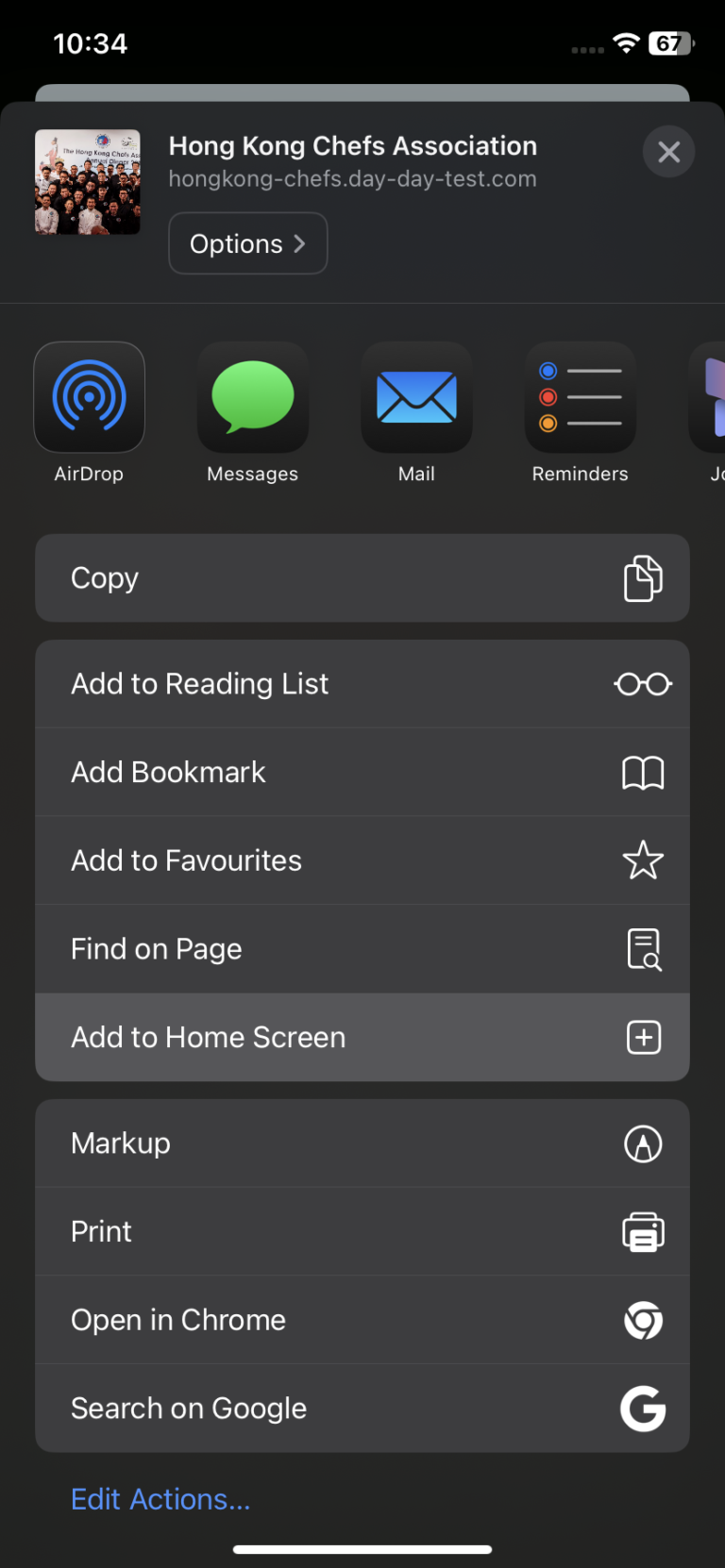
Click the share button at the bottom center.
Step 2
Click “Add to Home Screen”.
Step 3
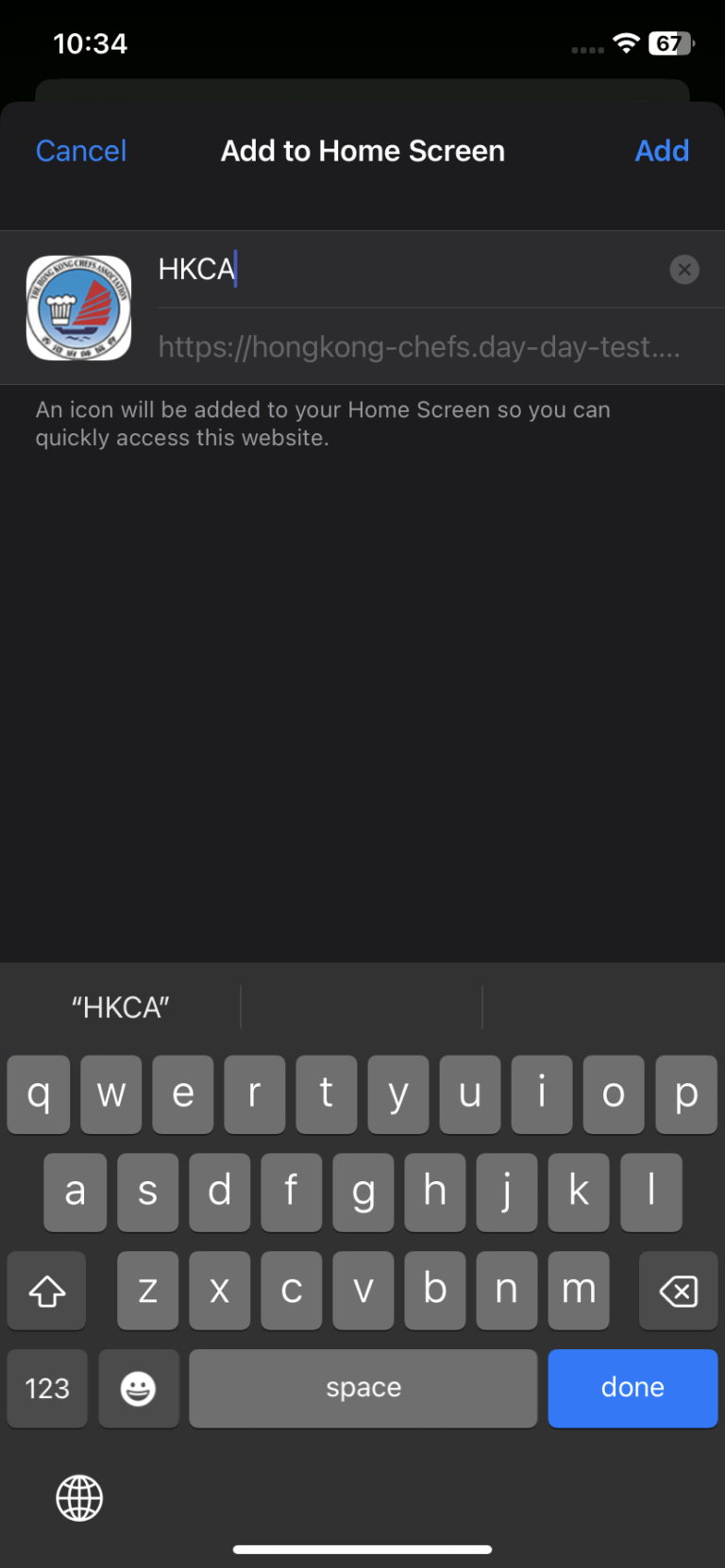
Confirm the name of Web App and Click “Add”.
Step 4
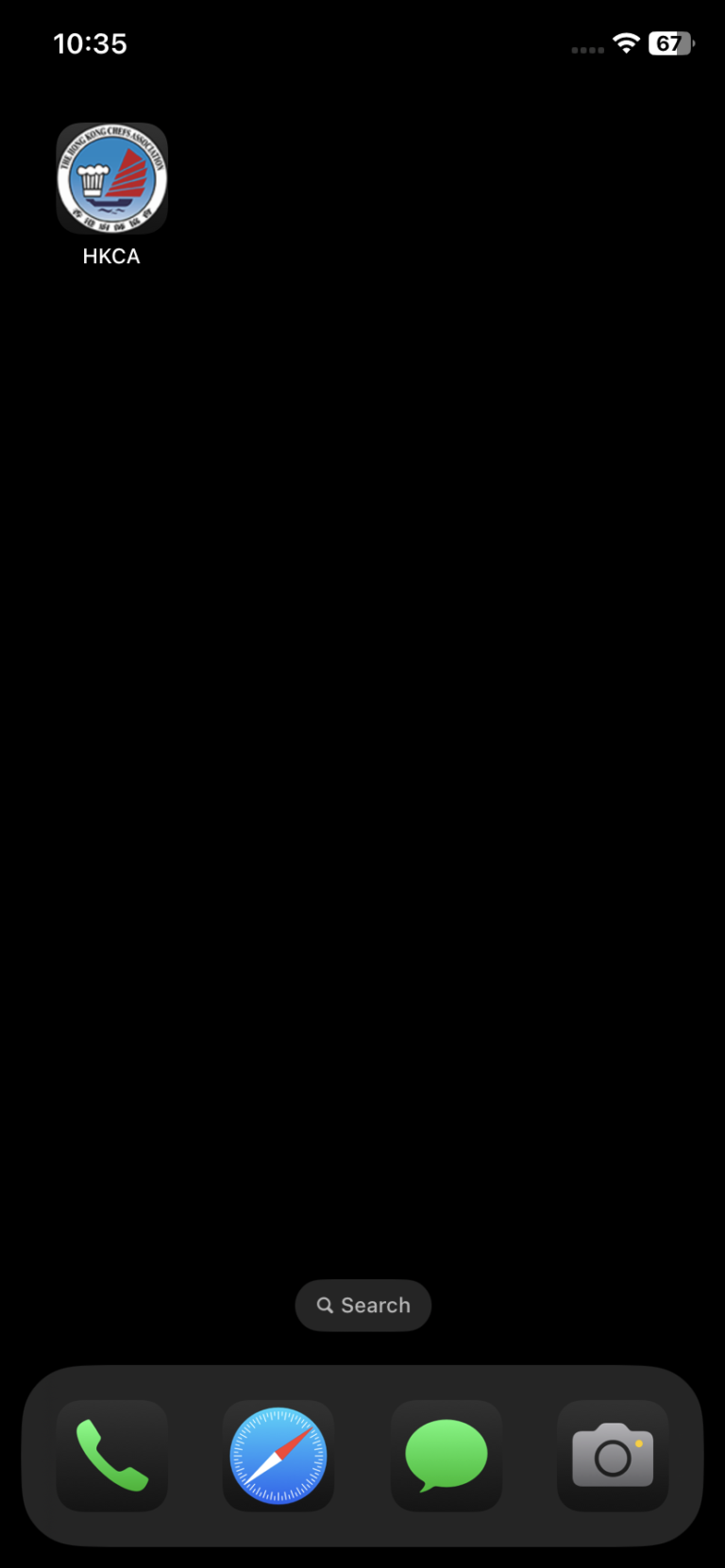
HKCA has been added to your Home Screen now.

Click the share button at the bottom center.
Click “Add to Home Screen”.
Confirm the name of Web App and Click “Add”.
HKCA has been added to your Home Screen now.
When visiting this website using the Google Chrome mobile app, a pop-up will appear prompting users to add HKCA to their home screen.